

.svg)


Remote work looks set to become a longstanding fixture in everyday life, meaning legal teams must consider relevant ESI in places they previously hadn’t. Zoom, the leader in modern enterprise video communications, is naturally one of the first places to look.
As the prospect of Zoom eDiscovery gains more buzz, so does the discoverability of Zoom data. Between meeting recordings, audio recordings, chats, and more, it’s hard to boil down exactly what to look for, let alone how to best preserve and manage it all. But when it comes to eDiscovery, Zoom transcripts can provide invaluable context.
Whether you’re looking to access transcripts on Zoom meetings or chat, we’ll walk you through how to do it without sacrificing efficiency or accuracy. Let’s get started.
Who can preserve Zoom transcripts?
Before we get into how to capture Zoom transcripts, let’s cover which plans you’ll need to get it done. Zoom’s Pro, Business, or Enterprise accounts are necessary for recording and preserving chats, meetings, and calls. You’ll also need to save recordings to the cloud to gain access to automatic preservation and the transcription feature.
If you’re an admin of one of these accounts, you’ll have access to other useful features such as preservation of data by user, group, or all members in your organization; control over whether users have the ability to store meeting recordings on their own devices; and the ability to set transcription as mandatory for all users.
Why you should preserve Zoom transcripts
In the absence of the above capabilities, some admins may think a Zoom data usage report will suffice. This report is essentially an overview of which meetings occurred, their participants, time stamps, and other high-level details. You may get the “who, where, and when” from a Zoom data usage report, but Zoom transcripts, recordings, and chats offer the “what and why.” This makes them essential for conducting thorough Zoom eDiscovery.
Transcripts, in particular, provide foundational context in early case assessment, but also fast and efficient search and review that’s hard to accomplish with recordings alone. For example, it’s much faster to search for keywords or names of participants with transcripts than listening through hours of recordings. However, this doesn’t mean recordings should be pushed to the wayside.
To capture non-verbal cues such as body language or tone of voice, we recommend saving recordings as well. Paired with transcripts, these can provide more insights on intent that may be crucial to investigations down the line. Add in chat records, and you’ll be able to piece together the full story while minimizing the risk of missing information.
How to enable Zoom transcripts
As mentioned before, you’ll need to have a Pro, Business, or Enterprise account and save your recordings to the cloud to access Zoom transcripts. There are other benefits to saving your recordings to the cloud, such as automatic save of an MP4 video file, M4A audio file, and a txt file of any chats that occurred after meetings end, as well as the ability to access what you need at any time.
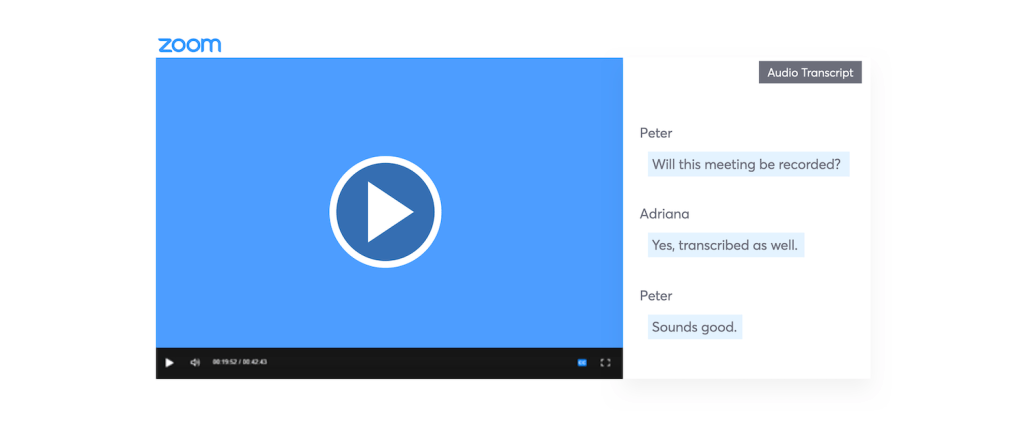
To enable Zoom transcripts, select the “Audio Transcriptions” option under “Cloud Recording.” This should automatically process as a separate .vtt text file in the list of recorded meetings. Each transcript is divided into sections each with a timestamp. You’ll have the option to:
• Display the transcript text within the video recording itself
• Edit the transcript text to improve accuracy
• Search for keywords across all transcriptions under “My Recordings”
For more specific instructions on how to do the above, head here.
What’s included in Zoom transcripts?
Video and audio
Zoom transcripts for audio and video display in the same format are fairly simple to decipher. After you generate your cloud recording, on the right side of the screen, you’ll find the dialogue of the conversation with corresponding users and timestamps in chronological order. Note: In the event that there are typos in your transcript, Zoom also allows you to edit transcripts by opening it with a text editor, word processing application, or in the Zoom web portal. We recommend giving your transcript a scan for any glaring errors.
Chat
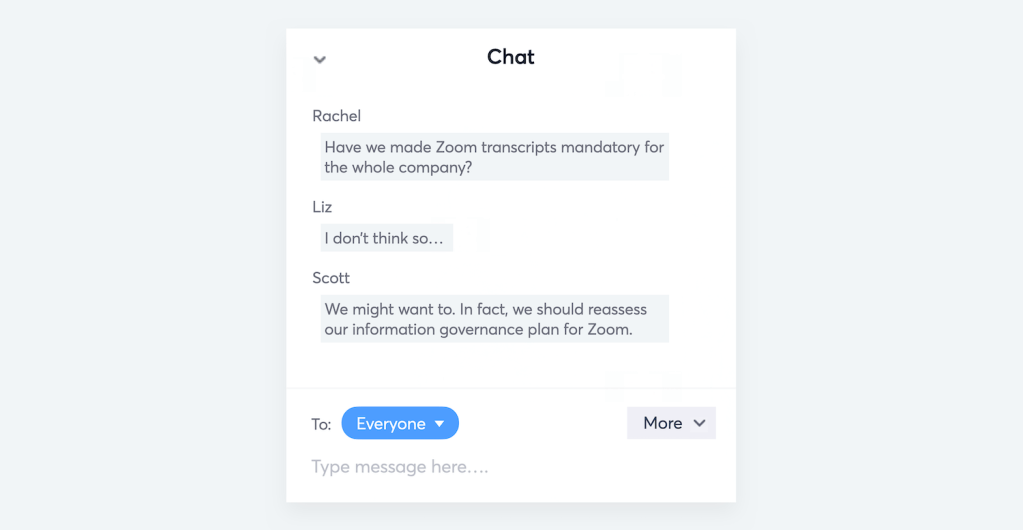
Even if you’re only after Zoom transcripts for recordings, it’s a good idea to also store chat message history, as the conversation can extend to the chat box in real-time. Note: Storage and preservation look a bit different for chats. Admins need to enable the IM Management add-on to gain access to Zoom chat storage and archival. As a best practice, make sure you’re reviewing chats with their corresponding cloud recordings to get a full picture of the conversation.
Thinking ahead
Whether people continue to work remotely, head back to the office, or dabble in both, Zoom meetings are likely here to stay. Pertinent business conversations will continue to extend across video, audio, and chat data, meaning it won’t be long before we see Zoom popping up in court.
Paired with video and audio recordings, Zoom transcripts are the kings of context. They provide a fast and efficient scan of key information in early case assessment — so proactively capturing them will pay off in the long run.
To ensure your Zoom transcripts, recordings, and chats are preserved and searchable, you’ll want to partner with a trusted eDiscovery solution. We happen to know a thing or two about Zoom eDiscovery here at Onna — so let us know if we can help, and check back in for more insights!
Subscribe to our newsletter
Get Complete Visibility into Your Unstructured Data, Today
Complete initial setup and first collection in one business day. No lengthy implementations. No IT backlog. Just full visibility into your collaboration data when you need it most.